What kind of break do you need?
Five quiet minutes or a whole evening. Jigovia fits the time you have.
Pieces that click into place
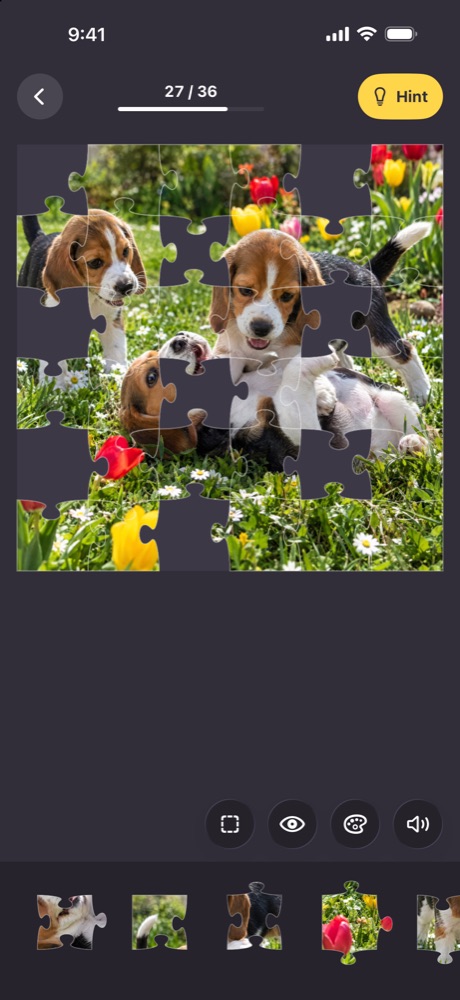
Drag a piece close and it snaps home with a soft click and a gentle tap of haptics. The picture comes together at your pace.
Pieces placed
27 of 36
Calm by design
No timers. No scores to chase.
Just you and the picture. Ask for a hint when you're stuck, keep a faint guide picture on the board, and mute the soft sounds with one tap.
Ways to play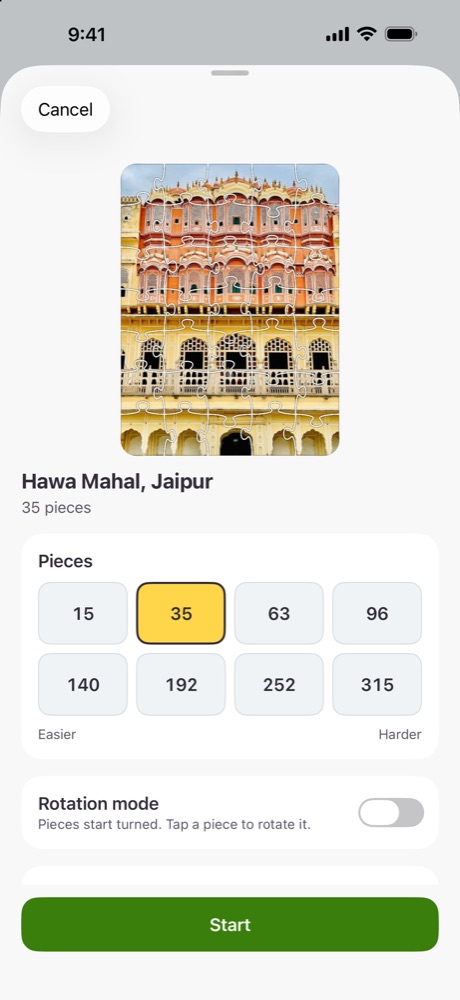
Your puzzle, your rules
Pick the size before you start
The picker shows the real piece count for every picture. Turn on rotation for an extra challenge, or show edge pieces only and build the border first.

16 to 324 pieces
A quick break or a long, absorbing evening
Tap a size to re-cut the picture.
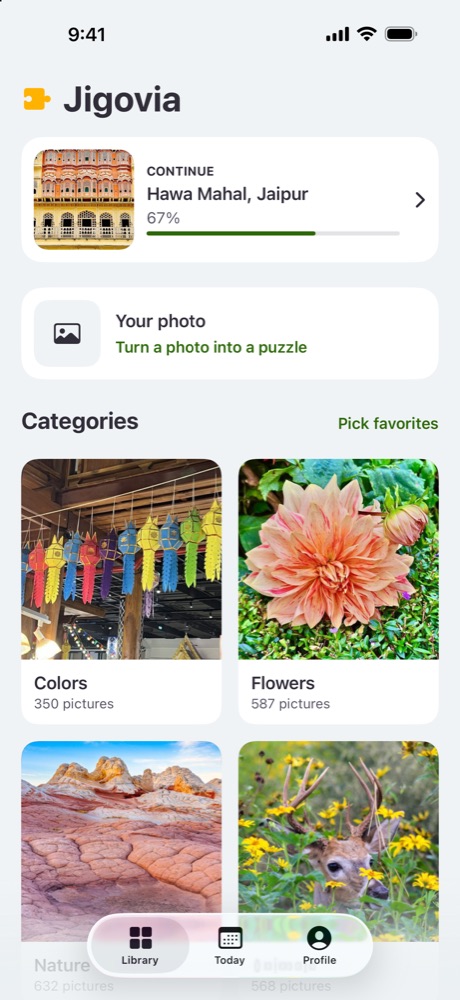
10,000+ pictures in 32 categories
Flowers, seaside, cats, castles and palaces, Impressionism, Japanese prints and more. New pictures are added all the time.
Browse a category
Today
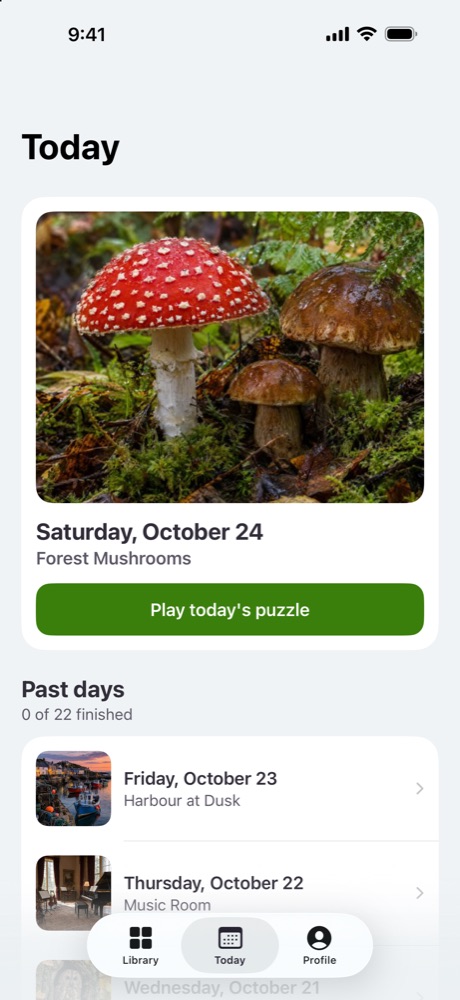
A new puzzle every day
Today's picture is waiting each time you open Jigovia, with the past days a tap away. Turn on a gentle daily reminder if you'd like to make it a habit.
Your photos
Turn your own photos into puzzles
Pick a family moment, a pet or a favorite trip from your library and solve it piece by piece. Your own photos are always free to play.
Boards
Set your table: oak, felt or ink
Twelve board backgrounds, from dark ink and slate to green felt and warm oak, for a real tabletop feel. Four of them come free.
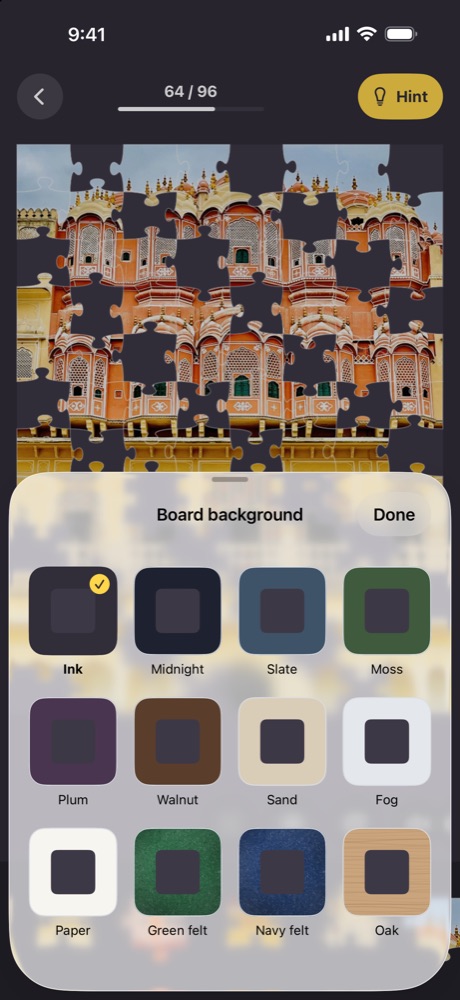
Change it any time
Swap boards mid-puzzle
Open the picker right from the play screen.
Play your way
Small settings that make each puzzle feel right.
Piece rotation
Turn it on for an extra challenge.
Guide picture
A faint picture on the board, or none at all.
Edges first
Show only edge pieces and build the border.
Pinch to zoom
Get up close on the biggest puzzles.
Hints
A gentle nudge when you are stuck.
Sounds and haptics
Soft clicks, with a one-tap mute.
Plays offline
For flights, commutes and quiet evenings.
iCloud sync
Start on iPhone, finish on iPad.
Free to play. Plus, just once.
Start solving right away. If you want everything, Jigovia Plus is a one-time purchase, not a subscription.
Free
Everything you need to start
- A free set of starter pictures
- Every daily puzzle
- Your own photos
- Puzzles of 16 to 64 pieces
- 5 hints per puzzle
- 4 boards: Ink, Midnight, Slate and Green felt
Want a little more? Watch a short ad, only if you choose to, for 3 more hints, one Plus picture, one bigger puzzle or a Plus board for the puzzle you're playing. No ad ever plays on its own.
Jigovia Plus
- All 10,000+ pictures in every category
- Every size, up to 324 pieces
- Unlimited hints
- All 12 boards, oak and felt included
- Never shows an ad
- Shared with your family through Family Sharing
Unlock it inside the app whenever you're ready.
The App Store shows the price of Plus in your local currency.
Questions, answered
Is Jigovia free?
Yes. Download it free and play the starter pictures, every daily puzzle and your own photos, at up to 64 pieces. Jigovia Plus unlocks the rest with a single purchase.
Will an ad interrupt my puzzle?
Never. There are no banners and no pop-up ads. An ad only plays when you tap to watch one for a reward, and Plus owners never see ads at all.
Is Plus a subscription?
No. Plus is a one-time purchase that you keep, and it works with Family Sharing. Restore it any time on a new device.
Can I play offline?
Yes. Puzzles in progress, your own photos and the pictures you've already opened all play without Wi-Fi, so it's perfect for flights and commutes.
Does it work on iPad?
Yes, with roomier layouts on the bigger screen. Your puzzles in progress and your history sync through iCloud, so you can start on iPhone and finish on iPad.
Which languages does it speak?
English, Spanish, French, German, Italian, Dutch, Brazilian Portuguese, Swedish, Danish, Norwegian, Polish, Japanese, Korean and Simplified Chinese. Picture and category names are translated too.
 Free on the App Store
Make a little room for quiet
Today's puzzle is already waiting.